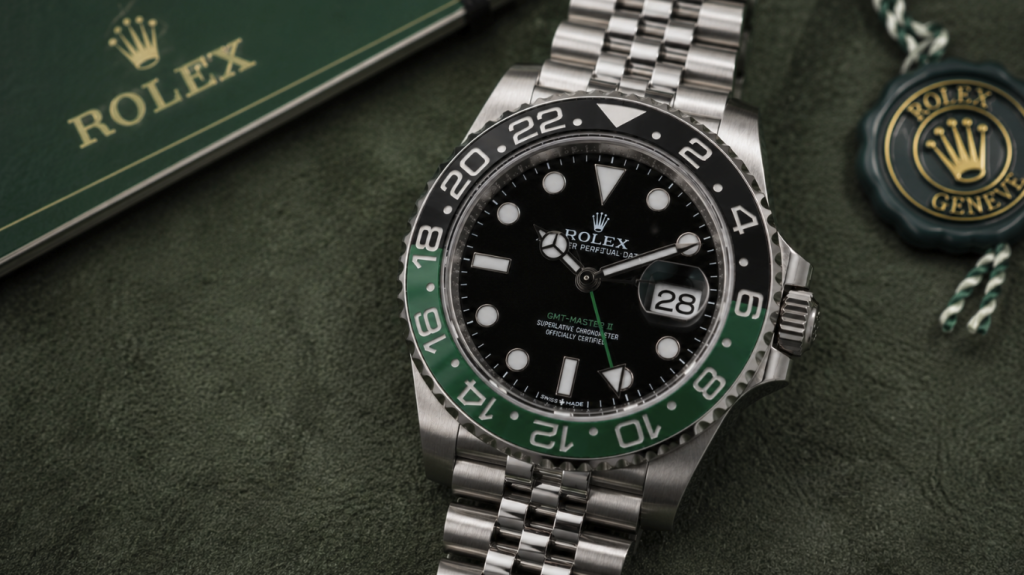
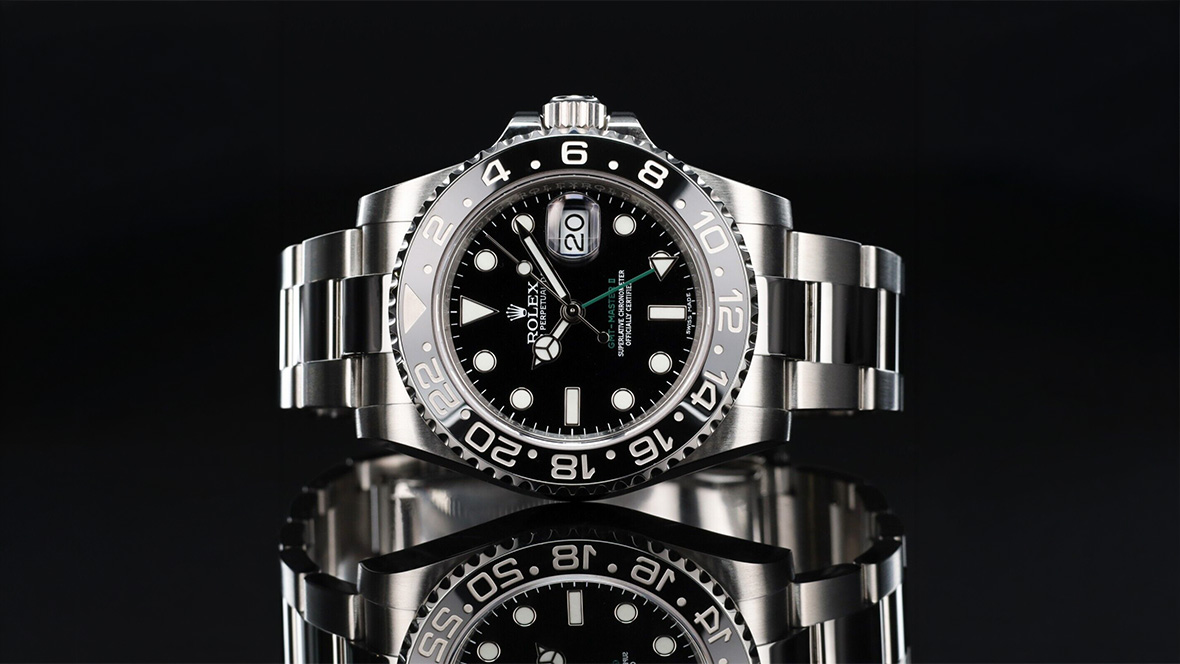
You know that small pause when you first handle a GMT watch and realize there is more going on than a normal dial? Most owners hit that moment. The extra hand looks sharp, but it also raises a quiet question. What exactly am I supposed to do with this?
The honest answer is simpler than it seems. How to Use a GMT Watch tends to look intimidating right up until the point it clicks. In real world use, the confusion usually comes from unfamiliarity, not complexity. Once you see what each hand is tracking, the layout starts to feel logical instead of busy. Give it a few days of normal wear and the watch begins to feel genuinely useful. Whether you travel occasionally, work across time zones, or just appreciate mechanical details, the GMT feature often earns its place. I will keep this straightforward. No collector talk. Just what actually helps.
What a GMT Watch Actually Does
At its core, a GMT watch lets you keep track of more than one time zone at the same time. Most models display your local time in the usual way, then add a second time zone through an extra hand that works off a 24 hour scale. It sounds more complex than it really is.
The GMT hand is the one to watch. Manufacturers usually give it a bold color or a distinct shape so it stands out. Your regular hour and minute hands continue doing their normal job. Meanwhile, the GMT hand points toward either a 24 hour bezel or an inner ring on the dial. That single detail is what unlocks the second time zone.
What tends to surprise people is how broadly useful this is. It is not just for pilots or constant travelers. If you work with overseas clients, follow foreign markets, or have family in another country, the function quickly earns its keep. If you already know how to read a standard watch, you are honestly most of the way there.
How to Use a GMT Watch for the First Time
This is where most new owners hesitate. The initial setup looks intimidating. In reality, it usually takes only a few minutes once you know the order.
Start by pulling the crown to the time setting position. Set the main hour and minute hands to your current local time. Take a moment here to confirm AM versus PM. It feels obvious, but this is where small mistakes creep in and cause confusion later.
Next comes the GMT hand. On many watches, it can be adjusted independently in one hour steps. Set it to the reference time zone you care about most. Many people default to UTC. Others prefer their home city. Either approach works fine.
If your watch includes a rotating 24 hour bezel, this is the final step. Turn it to line up with your intended third time zone if you need one. Once everything aligns, you are essentially finished. No hidden tricks.
Reading Multiple Time Zones Without Confusion
Once the watch is set, reading it becomes much easier than most people expect. The hesitation usually fades after a day or two of use.
Your standard hour and minute hands always show local time. Treat them exactly as you would on any normal watch. The GMT hand is doing separate work in the background. Simply note where it points on the 24 hour scale. That number corresponds to your second time zone.
For example, if the GMT hand sits at 18 on the scale, that translates to 6 PM in the tracked location. The 24 hour format removes the usual AM and PM guesswork, which is part of why seasoned travelers like the system so much.
Most people overthink this at first. Then it clicks. And once it does, it tends to stay with you.
How to Use a GMT Watch While Traveling
This is the moment when the GMT concept finally earns its keep. On paper it sounds clever. In airports and hotel rooms, it becomes genuinely useful. A properly set GMT watch takes a lot of the small annoyances out of crossing time zones.
When you arrive somewhere new, simply jump the local hour hand to the current time. Most modern GMT watches let you move that hour hand in clean one hour steps without stopping the movement. It seems like a small detail, but in practice it keeps everything running smoothly and accurately while you adjust.
Your GMT hand does not move during this process. It stays fixed on your home reference time, quietly doing its job in the background. One quick glance and you know whether people back home are awake or deep asleep. No guessing. No pulling out your phone in the middle of the airport.
This is exactly why frequent flyers tend to favor true GMT movements. The convenience shows up most when you are actually on the move. According to an aviation timekeeping overview: GMT Watches and Pilot Timekeeping History
Even people who only travel a few times a year usually notice the difference once they rely on it in real situations.
Common Mistakes Beginners Make
Certain patterns show up again and again with new GMT owners. Most are easy to fix once you know where to look.
The first is confusing the GMT hand with the regular hour hand. It happens more often than people admit. The GMT hand moves differently and reads off the 24 hour scale. If your second time zone looks wrong, this is the first thing to double check.
Another frequent issue is bezel misalignment. If your watch has a rotating 24 hour bezel, even a small shift can throw off your reading. It does not take much.
There is also the classic AM and PM mix up during initial setup. Because GMT watches rely on the 24 hour format, being off by half a day creates obvious confusion later. Watching the date change while setting the time usually prevents this.
Choosing the Right Reference Time Zone
There is no universal rule here, and that is part of the appeal. Your reference time zone should match how you actually live and work.
Many collectors stick with UTC out of tradition. It keeps everything standardized and works especially well in aviation contexts. If you like clean, consistent timekeeping, this approach makes sense.
Others prefer to track home time while traveling. It is less technical and more personal. And honestly, many people find comfort in always knowing what time it is back home.
Professionals working across regions often set the GMT hand to company headquarters time. If your workday regularly crosses borders, this tends to be the most practical setup. According to global work pattern research: Remote Work Across Time Zones Statistics
There is no perfect answer. The best choice is the one you will actually use.
Advanced Tips for Power Users
Once the basics feel automatic, the GMT function opens up a bit more.
One useful trick is using the bezel to monitor a third time zone. Rotate it so the GMT hand lines up with another city. Suddenly, you are tracking three regions at once. It sounds busy, but many users adapt faster than they expect.
Mental conversion also becomes easier over time. Because the GMT scale runs on 24 hour time, estimating differences between regions gets quicker with practice. Traders and remote workers tend to appreciate this more than casual users.
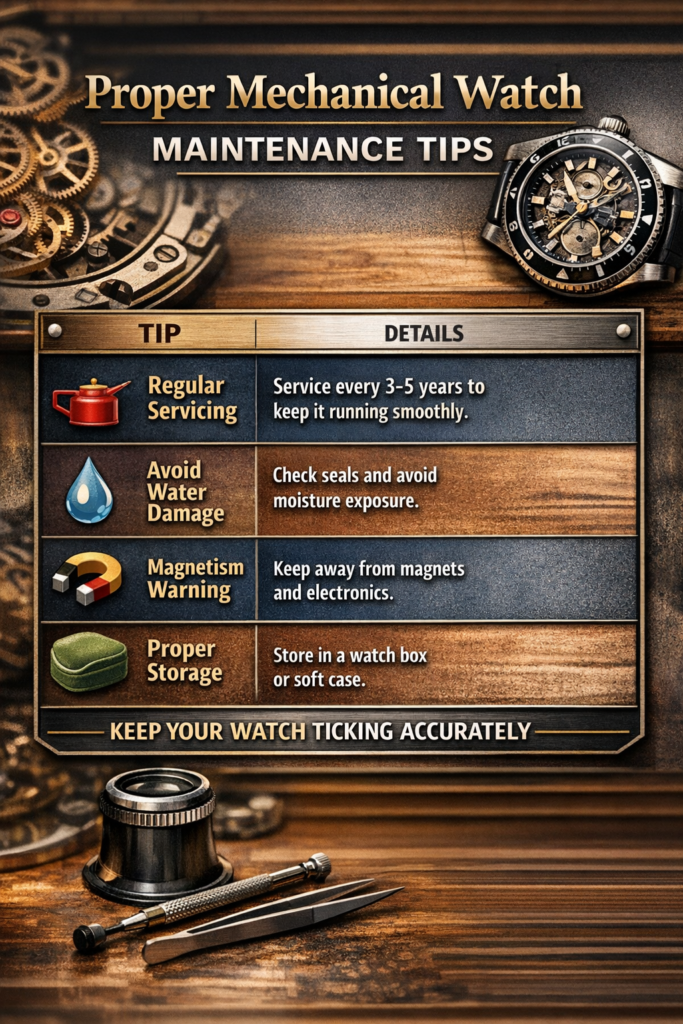
Maintenance still matters, though. GMT movements are sturdy, but they are not maintenance free.
If precision is a priority for you, broader timing standards are worth reviewing: Mechanical Watch Accuracy Standards Overview
And if you are still shopping for your first GMT piece, take your time. Implementation varies more than most buyers expect.
When a GMT Watch Might Not Be Necessary
It is worth saying out loud. Not everyone truly needs a GMT watch.
If your day rarely involves other time zones, the feature may sit idle. A straightforward three hand watch can be perfectly sufficient. Some buyers are drawn in by the aesthetics and never really touch the function.
Readability is another factor. GMT dials carry more visual information. If you strongly prefer a clean, minimal look, the extra hand can feel busy at first.
That said, many owners grow into the feature gradually. What feels unnecessary at purchase sometimes becomes quietly useful later. For a broader look at travel timekeeping habits, see:
Traveler Timekeeping Device Usage Trends
From experience, even casual enthusiasts often end up appreciating GMT functionality more than they expected.
Real World Examples That Make GMT Watches Click
Abstract explanations only go so far. Real life use tends to make the value obvious.
Consider a freelancer in Manila working with clients in New York. Instead of repeatedly checking time differences online, the GMT hand stays fixed on Eastern Time. A quick glance answers the only question that really matters. Is it too early to message?
Or think about someone with close family abroad. With the GMT hand set to their time zone, calling becomes less of a guessing game. No awkward midnight surprises.
Once the function connects to a real habit, the watch stops feeling decorative and starts feeling useful.
Office GMT vs True GMT: Why It Matters in Daily Use
Not all GMT watches behave the same way. This detail catches many buyers off guard.
An office GMT allows independent adjustment of the GMT hand. This works well if you mostly stay in one place and simply monitor another time zone. Many accessible GMT watches use this design because it is mechanically simpler.
A true GMT, sometimes called a traveler GMT, flips the priority. The local hour hand jumps in one hour steps while the GMT hand stays fixed. For frequent travelers, this is noticeably more convenient when crossing time zones.
Which one is better? It really depends on how you plan to use the watch. Frequent travelers usually prefer true GMT. Desk based users often do just fine with office GMT.
How to Build the Habit of Actually Using Your GMT
Here is something that rarely gets mentioned. Many owners simply forget to use the GMT function after the first week.
The easiest fix is giving the GMT hand a clear purpose right away. Pick a time zone that genuinely matters in your daily routine. A colleague’s city. A market opening. A family member abroad. Relevance drives usage.
For the first week, make a point of checking the GMT hand several times a day. Morning. Afternoon. Evening. It sounds forced, but it builds familiarity quickly.
Some people also find it helpful to tie the GMT display to something personal, like their hometown, while working overseas. Small emotional anchors tend to reinforce the habit.
Quick Troubleshooting When Your GMT Feels Off
At some point, many owners briefly suspect their GMT watch is malfunctioning. Most of the time, it is not.
If your second time zone appears wrong, first check the bezel position. Bidirectional bezels in particular can shift slightly without you noticing.
Next, verify the GMT hand is aligned with the correct half of the day. Being off by 12 hours is a classic beginner mistake. Watching the date change during setup usually confirms proper alignment.
Daylight saving changes can also create confusion. Your watch will not adjust automatically. If one of your tracked regions shifts time, you will need to update the bezel or GMT hand manually.
In most cases, the fix takes less than a minute.
Why GMT Watches Are Still Popular in the Smartphone Era
It is a fair question. Phones already display world time instantly. So why bother?
In real world use, a GMT watch offers something phones do not. Frictionless awareness. A quick wrist glance is faster and far less disruptive than pulling out a phone mid conversation or meeting.
There is also the mechanical appeal. Many enthusiasts appreciate the idea of tracking multiple time zones through pure mechanical engineering. No batteries. No signals. Just gears doing their job.
And yes, aesthetics play a role. The extra hand and bezel add visual depth that many people simply enjoy.
For those who give the feature an honest trial, the appeal often grows quietly over time.
Final Thoughts!
By now, How to Use a GMT Watch should not feel nearly as daunting as it did at the start. When you remove the extra noise, the system is fairly clean. Set your local time properly, align the GMT hand with the time zone that matters to you, and read the 24 hour scale without overthinking it.
What surprises most people is how quickly the habit forms. Something that looks technical on day one usually feels routine within a few wears. Stay with it and use the feature in real situations. More often than not, the GMT function ends up being far more practical than people expect at first glance.